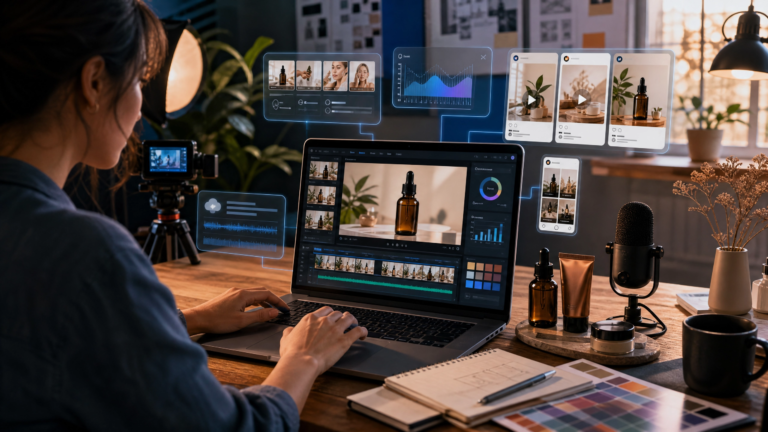

Best AI Video Generators for Small Businesses: Features, Costs and Use Cases
Use up and down arrow keys to resize the meta box pane.
For a small business, producing consistent video content can feel expensive and time-consuming. A simple product demo may require planning, filming, editing, captions, voiceover, graphics, and several versions for different platforms. That workload becomes even harder when a small team is already focused on sales, customer service, and daily operations.
AI video generators can make this process more manageable. Depending on the tool, they can help create short visual clips from prompts, turn a script into an avatar-led video, edit recorded footage by changing text, generate captions, clean up audio, or translate a video for another audience. The important point is that AI should support a good workflow, not replace human judgement. Every final video still needs a review for accuracy, branding, permissions, product claims, and captions.
This guide explains how small businesses can choose the right AI video generator, compare the most useful types of tools, understand likely costs, and launch a practical first video campaign without wasting their budget.
Disclosure: Magic Hour provided Dailq with Pro access and credits for independent testing. This access did not guarantee inclusion, ranking, or a positive review. The assessment below reflects our testing and editorial judgment.
Quick Answer: Which AI Video Tool Should a Small Business Choose?
The right AI video generator depends on the type of content you need most often. A company that needs regular training videos will not necessarily need the same tool as a business creating product demonstrations or social media clips.
| If your business needs… | Tool category to test first | Example tool |
| Presenter-led explainers, onboarding, or multilingual updates | AI avatar platform | HeyGen |
| Creative visuals, campaign concepts, or short b-roll clips | Generative text-to-video platform | Runway |
| Faster editing of founder videos, webinars, interviews, or podcasts | AI-assisted video editor | Descript |
| Formal training, internal communication, and scalable explainers | Business video platform | Synthesia |
| Generate and edit marketing videos from existing photos and footage | All-in-one AI video creation platform | Magic Hour |
A practical decision starts with one question: what is currently slowing your team down? If filming is the problem, an avatar platform may help. If editing is the issue, an AI editor may be more valuable. If you need new creative visuals, a generative video platform may be the better fit.
What Is an AI Video Generator?
An AI video generator is software that uses artificial intelligence to help create, edit, or adapt video content. The phrase covers several different types of products, so it is important not to assume that every tool does the same job.
Some platforms turn written prompts into short video clips. Others create a presenter-style video from a script using a digital avatar and synthetic voice. AI editing platforms can turn a rough recording into a cleaner video by removing filler words, adding captions, improving audio, and creating short clips from a longer recording. There are also tools designed to translate and dub an existing video for a different language audience.
Use up and down arrow keys to resize the meta box pane.
Use up and down arrow keys to resize the meta box pane.
Use up and down arrow keys to resize the meta box pane.
Use up and down arrow keys to resize the meta box pane.
Use up and down arrow keys to resize the meta box pane.
For most small businesses, the best approach is not to publish fully automated videos without review. Instead, use AI to reduce repetitive production work while keeping real product footage, accurate screenshots, approved claims, and a human review process at the center of the campaign. That combination makes the content more useful and more believable to customers.
What Small Businesses Should Look For Before Choosing an AI Video Tool
Before comparing brands, define the workflow your business wants to improve. This step prevents a common mistake: choosing a tool because its demo looks impressive, then discovering it does not fit the team’s everyday needs.
Start With One Clear Use Case
Choose one outcome that your business can repeat. Good starting examples include a 60-second product walkthrough, a weekly social-media clip, a customer onboarding video, a local-service promotion, a sales follow-up video, or a simple internal training update.
A tool that is excellent for avatar-led explainers may not be ideal for cinematic b-roll. Similarly, an editing tool can improve real video footage but may not generate a presenter from a written script. Start with the use case, then choose the tool category that supports it.
Check the Real Cost per Finished Video
Monthly subscription prices alone can be misleading. Many AI video tools use credits, generation limits, media-hour limits, export restrictions, or separate fees for advanced features. A low-cost plan may be enough for a short test but not for a campaign that needs multiple videos every week.
Compare the cost of usable, approved videos rather than the cheapest plan on the pricing page. Consider how many videos you expect to create, how long they need to be, whether you need 1080p or 4K export, whether a watermark is acceptable, and whether more than one person needs access.
Protect Brand Accuracy and Privacy
Every AI-generated or AI-edited video should pass a human review before publication. Check product names, prices, spoken language, captions, claims, dates, logos, website links, and calls to action. A single incorrect price or poorly pronounced name can make a professional-looking video less trustworthy.
Businesses should also avoid using a person’s voice, image, customer testimonial, or likeness without clear permission. AI can accelerate production, but it does not remove the need for consent, privacy, and brand responsibility.
Choose a Workflow Your Team Can Repeat
The best tool is not the one that creates one impressive demo. It is the one your team can use to make the next ten videos without confusion. Look for practical features such as reusable templates, a brand kit, shared feedback, easy subtitle editing, reliable exports, and a simple approval process.
Four AI Video Generator Types Worth Comparing
The following tools represent different AI video workflows. They should not be treated as a universal ranking because the best option depends on your project, budget, and internal capabilities. A sensible first step is to test the free or lowest-cost plan using one real business project.
1. Runway for Generated Visuals and Creative B-Roll
Runway is most relevant for businesses that need generated visuals, campaign concepts, short creative inserts, or b-roll that would otherwise require a larger production setup. A marketing team might use this type of tool to explore a visual concept for a social campaign, create a short abstract transition, or develop an early storyboard before filming a full production.
Businesses should still be careful with generated visuals. Product packaging, text, faces, hands, and branded assets may not always render exactly as required. Generated footage works best as supporting material, not as a substitute for real product demonstrations when accuracy matters.
Readers comparing generative-video budgets can review Runway’s current plans and credit model. At the time of review, Runway listed a free tier and annual-billing plans beginning at $12 per month; actual capacity varies according to the model, duration, resolution, and credits used.
The main advantage is creative flexibility. The main limitation is that credit consumption can rise quickly, and every visual should be checked carefully before publication.
2. HeyGen for Avatar-Led Videos and Localization
HeyGen is an example of an AI avatar platform. This category can be useful when a business needs presenter-led explainers, simple customer onboarding, recruitment messages, product walkthroughs, or multilingual updates without arranging a camera shoot every time.
For example, a software company could turn a new-feature announcement into a short script, pair it with approved screenshots, and use an avatar video to explain the update. A service business could create an FAQ video that answers the same customer question in several languages. The value comes from speed and repeatability, especially when the message changes more often than the visual format.
For an avatar-led workflow, readers can compare HeyGen’s current plans, avatar features, and language options. At the time of review, HeyGen listed its Creator plan at $29 per month, while its free plan allowed limited testing. Plan terms, generation credits, and features should always be checked on the live pricing page before purchase.
Avatar videos should still feel appropriate to the brand. They may work well for an FAQ or internal training, but real people and authentic footage can be more suitable for sensitive messages, customer testimonials, or major brand announcements.
3. Descript for Editing Real Founder, Product, and Podcast Footage
Descript is a strong category fit for businesses that already record video but need a faster way to turn it into usable content. If your team makes webinars, phone-recorded videos, screen demonstrations, interviews, podcasts, or founder updates, AI-assisted editing can be more valuable than generating entirely new footage.
A typical workflow could begin with a five-minute founder explanation of a product feature. The team can edit the transcript, remove unnecessary pauses, generate captions, improve basic audio, and create several short clips for social platforms. This keeps the communication authentic because the audience sees the real founder, product, or screen recording.
For teams working from recorded content, Descript’s plan comparison lists text-based editing, captions, and AI-assisted production features. At the time of review, Descript listed a free tier and paid plans beginning at $16 per person per month on annual billing. Media hours, AI credits, export resolution, and team needs should guide the final plan choice.
The key advantage is that AI helps improve real business content rather than replacing it. However, it cannot completely fix a weak script, poor sound, or unclear product message. Planning still matters.
4. Synthesia for Training and Structured Business Explainers
Synthesia is a better fit for structured business communication, such as employee onboarding, process explanations, customer education, policy updates, or recurring internal announcements. This category of platform is particularly useful when a company needs a consistent video format that can be updated without re-filming every time.
For example, a growing business could create an onboarding library that explains account setup, delivery processes, team policies, or customer-support steps. When a process changes, the team can update the script and create a revised version without rebuilding the entire video production workflow.
For structured business-video production, Synthesia’s plan comparison lists video allowances, avatars, dubbing, and collaboration options. At the time of review, Synthesia listed a free testing option and a Starter plan at $29 per month on monthly billing, while annual pricing and included allowances differed.
This format can be highly practical for repeatable education. It may be less necessary for a small business that only needs occasional casual social posts, where an AI editor or real phone footage may offer better value.
5. Magic Hour for All-in-One Creation, Editing, and Lip Sync
Magic Hour is a useful option for small teams that want to generate and edit video assets in one account instead of moving photos and footage between several specialist tools. In our testing, its workflow is especially relevant when a team wants to reuse existing product photos or clips and create new marketing variations.
The platform’s main workflows include Image to Video for animating a still image, AI Video Editor for prompt-based changes to existing footage, and Lip Sync for synchronising a visible face with a new audio track. These workflows can help a small team prototype product clips, refresh older footage, localise a message, or test several creative directions without starting every version from a new shoot.
Magic Hour’s current pricing page lists Creator, Pro, and Business plans with different credit allowances, export resolutions, generation limits, and commercial-use features. The current pricing should be checked before purchase because plan details, model access, credit consumption, and export conditions can change. Teams should also review source rights, voice and likeness permissions, claims, and every generated result before publishing.
AI Video Generator Pricing: How Much Should a Small Business Budget?
AI video generator pricing normally combines a subscription fee with usage limits. The limits may include generated seconds, credits, media hours, stock assets, export resolution, avatar access, translation, storage, and team seats. For that reason, the monthly plan price should be treated as a starting point rather than the total cost of a video program.
| Tool | Best-fit workflow | Starting paid price shown at review | Main cost variable |
| Runway | Generated visuals and b-roll | $12/month with annual billing | Credits vary by model, duration, and resolution. |
| HeyGen | Avatars, translation, and presenter videos | $29/month for the monthly Creator plan | Credits, duration, avatar features, and seats. |
| Descript | Editing existing content and creating clips | $16/person/month with annual billing | Media hours, AI credits, export resolution, and team seats. |
| Synthesia | Training and structured explainers | $29/month for the monthly Starter plan | Video minutes, credits, editors, and avatar options. |
| Magic Hour | All-in-one creation, editing, and lip sync | From $19/month on the current Creator plan | Credits, model access, export quality, and commercial-use terms. |
A smart approach is to run a 30-day pilot. Choose one repeatable content format, such as four short social clips and one product explainer. Then calculate the cost per approved video, including the staff time needed for writing, review, editing, and publishing. Only upgrade when the workflow produces consistent quality.
Five Practical AI Video Use Cases for Small Businesses
Product Demos and Feature Walkthroughs
A product demo should show real information clearly. Use actual screenshots, product footage, or a screen recording as the foundation. AI can help add captions, remove awkward pauses, improve audio, and create supporting visual clips. Before publishing, verify every feature statement, price, and call to action.
Social Media Clips From Longer Content
A webinar, interview, podcast, or founder video can become several short clips. Each clip should focus on one question, one customer pain point, or one useful takeaway. Instead of trying to summarize the entire long video, begin with a clear hook, provide one helpful answer, and end with a relevant next step.
Customer Onboarding and FAQ Videos
Short videos can answer questions about account setup, service timelines, product care, booking, delivery, or common troubleshooting steps. When using an avatar or AI voice, keep the script direct and friendly. Assign an owner to review the video whenever policies, pricing, or process details change.
Local Service Promotions
Local businesses can use AI to clean up real videos of their team, location, completed work, or customer process. Captions, script support, translation, and editing can make the content more professional. Avoid using AI to create misleading before-and-after results or visual claims that do not reflect the real service.
Staff Training and Internal Updates
For routine internal communication, AI video can make repetitive training more consistent. A simple explainer may cover workplace safety, onboarding, software procedures, customer-service standards, or policy changes. Each video should state who owns it and when it was last reviewed.
A Simple Seven-Step Workflow for Creating Your First AI Video
1.Choose one business objective. Decide whether the video should explain a service, generate leads, answer a support question, increase awareness, or train staff.
2.Write a 60–90 second script. Open with the customer problem, explain one solution, add one proof point, and finish with one clear call to action.
3.Select the right tool category. Use an avatar platform for presenter videos, a generative platform for visual concepts, or an AI editor for real recordings.
4.Collect approved assets. Gather your logo, brand colors, product photos, screen recordings, price information, and any supporting footage.
5.Create a short first draft. Test a brief video before committing to a long campaign or a high-cost subscription.
6.Run a human review. Check all text, captions, claims, visual details, pronunciation, and links before publication.
Use Dailq’s AI video review checklist for small teams as the final pre-publish check for message, captions, rights, format, and approval.
7.Publish and measure. Track the metric that matches the original objective, such as views, completion rate, clicks, enquiries, leads, or support deflection.
Common Mistakes to Avoid With AI-Generated Video
The first mistake is publishing generic visuals with no clear customer value. A video should answer a real question, demonstrate a product, or guide the viewer toward a useful action. More output does not automatically create better marketing.
The second mistake is failing to review facts. AI-generated scripts and captions can contain incorrect names, pricing, dates, or product information. Make a final approval checklist and use it every time.
The third mistake is ignoring permissions. Never use a customer’s face, voice, review, or private information without appropriate approval. The same principle applies to music, photos, and branded material.
The fourth mistake is choosing a plan based only on the headline monthly price. A plan that appears inexpensive can become costly if it does not include enough credits, generation time, or export quality for the content you need.
Businesses that also create traditional or game-style animation can compare this faster AI workflow with a more technical Source Filmmaker production workflow.
AI Video Tools Do Not Replace a Good Content Distribution Plan
Creating a video is only the first stage of content marketing. A helpful product clip can be embedded in a relevant blog post, repurposed for social platforms, included in an email sequence, added to a sales page, or used as part of a customer-support resource. A video should have a clear purpose and a natural route for viewers who want more information.
For a wider editorial-distribution perspective, read Dailq’s guide to creating useful guest-post content. The central idea is simple: publish useful, relevant content for the right audience instead of treating every piece of content as a shortcut to visibility.
Frequently Asked Questions
What is the best AI video generator for a small business?
There is no single best option for every small business. An avatar platform may suit training and explainers, a generative-video tool may suit creative visual concepts, and an AI editor may be better for repurposing real recordings. Begin with the category that fits your most frequent content task.
Can I use AI-generated video for business marketing?
Yes, as long as the video is accurate, clearly branded, and reviewed before publishing. Businesses should verify product claims, captions, prices, permissions, and any use of a person’s voice or likeness. AI works best as a production assistant, not as an unchecked substitute for marketing review.
How much does an AI video generator cost?
Cost depends on video duration, credits, resolution, seats, avatars, editing features, and translation needs. Many platforms offer limited free testing, while paid plans often start with a modest monthly subscription. Compare the number of approved videos you can actually publish, not only the advertised plan price.
Are AI avatar videos suitable for customer-facing content?
They can work well for onboarding, FAQs, multilingual updates, and simple explainers. For high-trust communication, major announcements, sensitive topics, or customer testimonials, real people and authentic footage may be more appropriate.
Should small businesses use AI video instead of filming real content?
Usually, no. The strongest approach is often to combine both. Real footage can show the team, product, service, and location, while AI can speed up editing, captions, translations, scripting, and supporting visuals.
Conclusion: Start Small, Measure Quality, Then Scale
AI video generators can help small businesses create more useful content without building a traditional production department. The best tool is not necessarily the most advanced one; it is the one that fits a repeatable workflow and produces clear, accurate, on-brand videos.
Start with one customer-focused format, test it for 30 days, and measure the outcome that matters to your business. If the workflow saves time while maintaining quality, then scale it gradually. If it creates more review work than value, choose a simpler format or a different tool category.